 Card Vendor Guides
Repricing at market
Two screens share one table: Reprice audits the cards you name, Price Triggers finds the ones that drifted.
1. Stage cards on Reprice
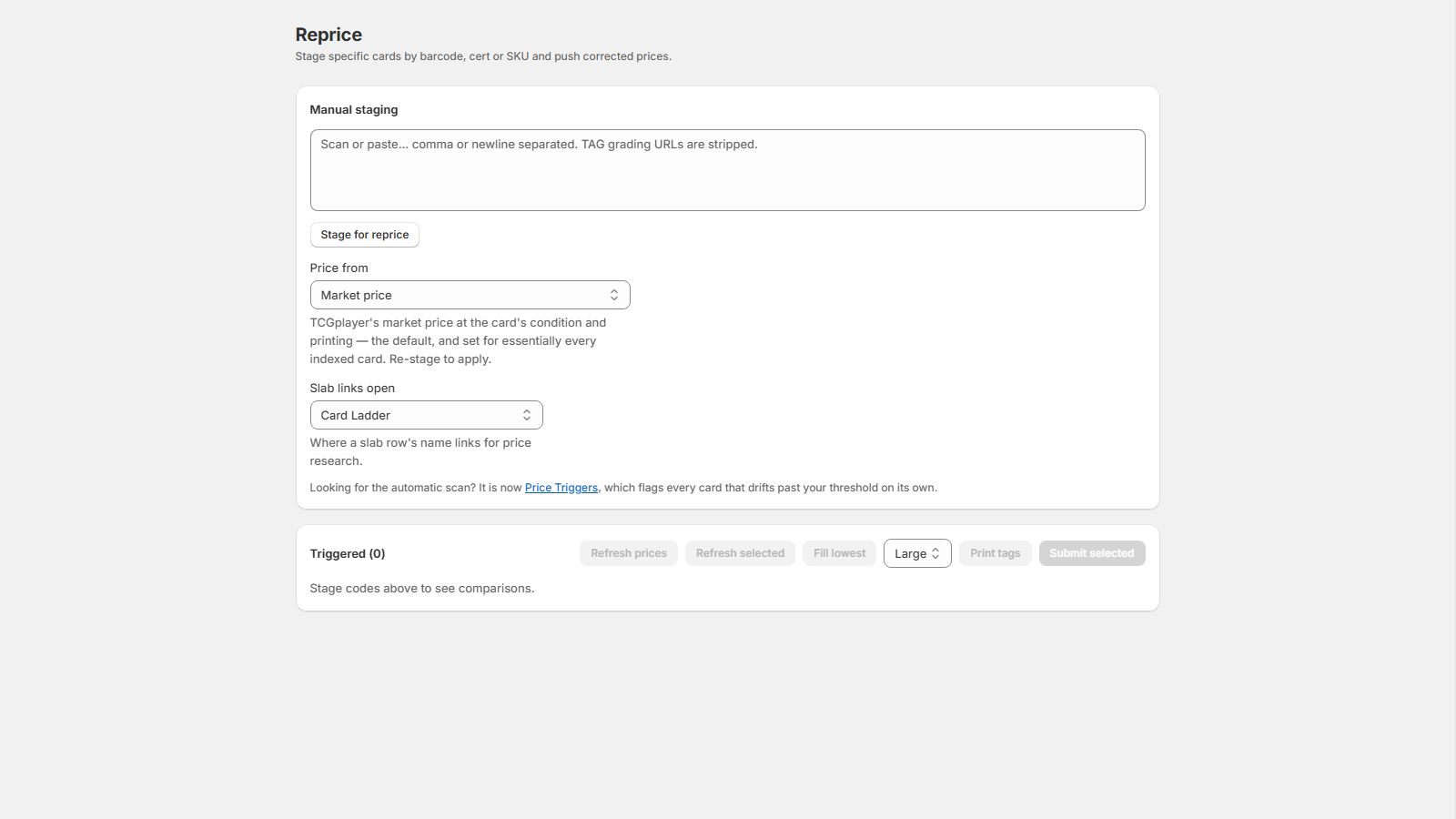
Reprice stages specific cards by barcode, cert or SKU and compares each one against the price index.
- Open Reprice and scan or paste codes into the Manual staging box, comma or newline separated.
- Click Stage for reprice. Each code becomes a row: your current price, the index's figure, and a variance badge.
- Set Price from (Market price, Lowest listed, or Recent sales) to choose what every row is compared against. Re-stage to apply.
2. Push corrected prices
- Type a New price on a row, or select rows and click Fill lowest to copy the compared figure in.
- Change a row's Condition or Printing to re-fetch the index price for that exact pair.
- Select the rows to push and click Submit selected, or click Update on a single row. Each row reports Updated or Failed on its own.
- With the changed rows still selected, pick a tag layout and click Print tags. The tag PDF opens in a new tab.
3. Price Triggers: the automatic version
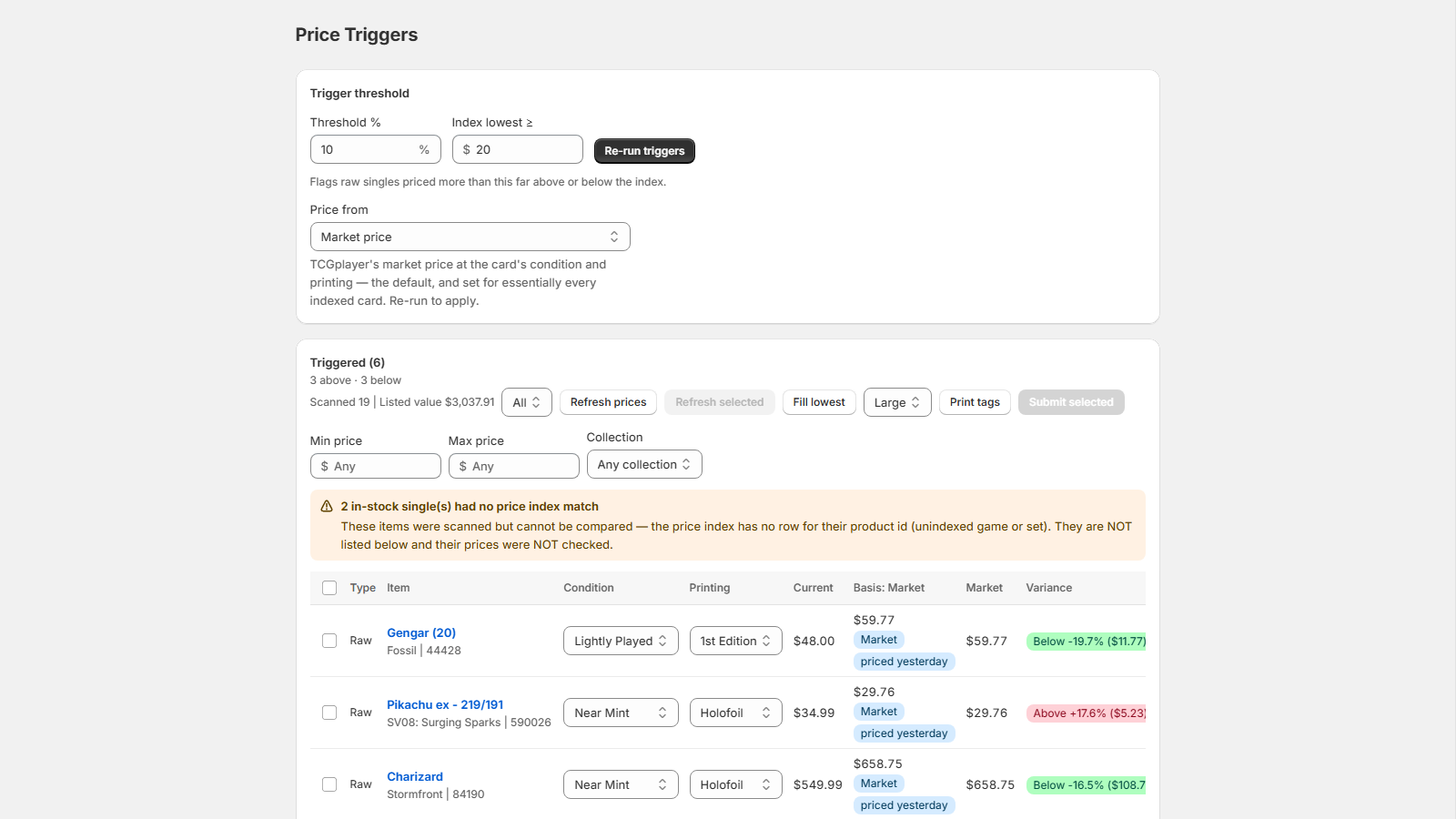
Price Triggers runs the same comparison over your whole snapshot. It runs once when the page opens and flags raw singles priced more than your threshold above or below the index.
- Open Price Triggers. The scan starts on its own.
- Set Threshold % and the Index lowest ≥ price floor, then click Re-run triggers.
- Drifted cards appear biggest mispricing first, each with a badge like Above +18.2% ($4.10) or Below -12.0% ($2.50). The header counts "12 above · 5 below", and the direction filter narrows the table to Above index or Below index.
4. Keep the numbers fresh
Every row shows the age of its index price as a badge. Refresh prices asks the index to pull current prices for every row on screen; Refresh selected covers just your selection. A toast reports the outcome ("3 enqueued · 1 already fresh · 2 rate-limited"), and the new figures arrive on the next run or row re-key. With Price from set to Lowest listed, Fetch live listings (25 max) reads real listing pages for the selected rows. Live listing look-ups are 500 per month on Shop and unlimited on Shop Pro.