 Card Vendor Guides
Postage for TCGplayer orders
From the TCGplayer shipping export to printed USPS labels, on your own EasyPost account.
1. Set up once in Settings → Postage
- Paste your EasyPost keys, the Live API key (EZAK…) and the Test API key (EZTK…). Pick a Buy mode (Live — you will be charged for postage or Test — no charge, labels are NOT shippable), and click Save EasyPost settings.
- Set the PWE letter weight (oz), the fallback for export rows with no product weight (USPS letters max out at 3.5 oz), and a Label size.
- Add Package presets: a name, Length (in) / Width (in) / Height (in), Weight (oz) and a USPS service, then Add package. Weight is the full packed weight, not the empty box.
- Fill in the Return address and click Save return address. It prints on every label, and missing fields refuse the whole batch at rating.
2. Buy labels: Upload, Review, Rates, Labels
- On Postage → Buy, drop your TCGplayer Shipping Export CSV on the upload box, then Continue to review.
- Review each order's package: Letter (PWE, USPS First-Class), one of your presets, or Custom… with typed dimensions. Then check its letter weight (1–3 oz), the Signature tick and the Insurance ($) amount. Foreign rows are skipped and say so. Set all to letters and Set all to parcels fill the column in one click.
- Continue to rates fetches per-piece quotes and the totals. Rating is free, and nothing is bought until you confirm.
- The confirm names the exact count and dollars (e.g. Buy 40 labels for $163.20) and buys through your EasyPost account.
The Labels step lists every bought label with its tracking code. Print all labels (6x4 PDF) makes one sheet, a page per label. Download TCGplayer tracking CSV builds the tracking import. Letters are excluded from the file; copy their tracking from the table into TCGplayer by hand.
3. The log: reprints and refunds
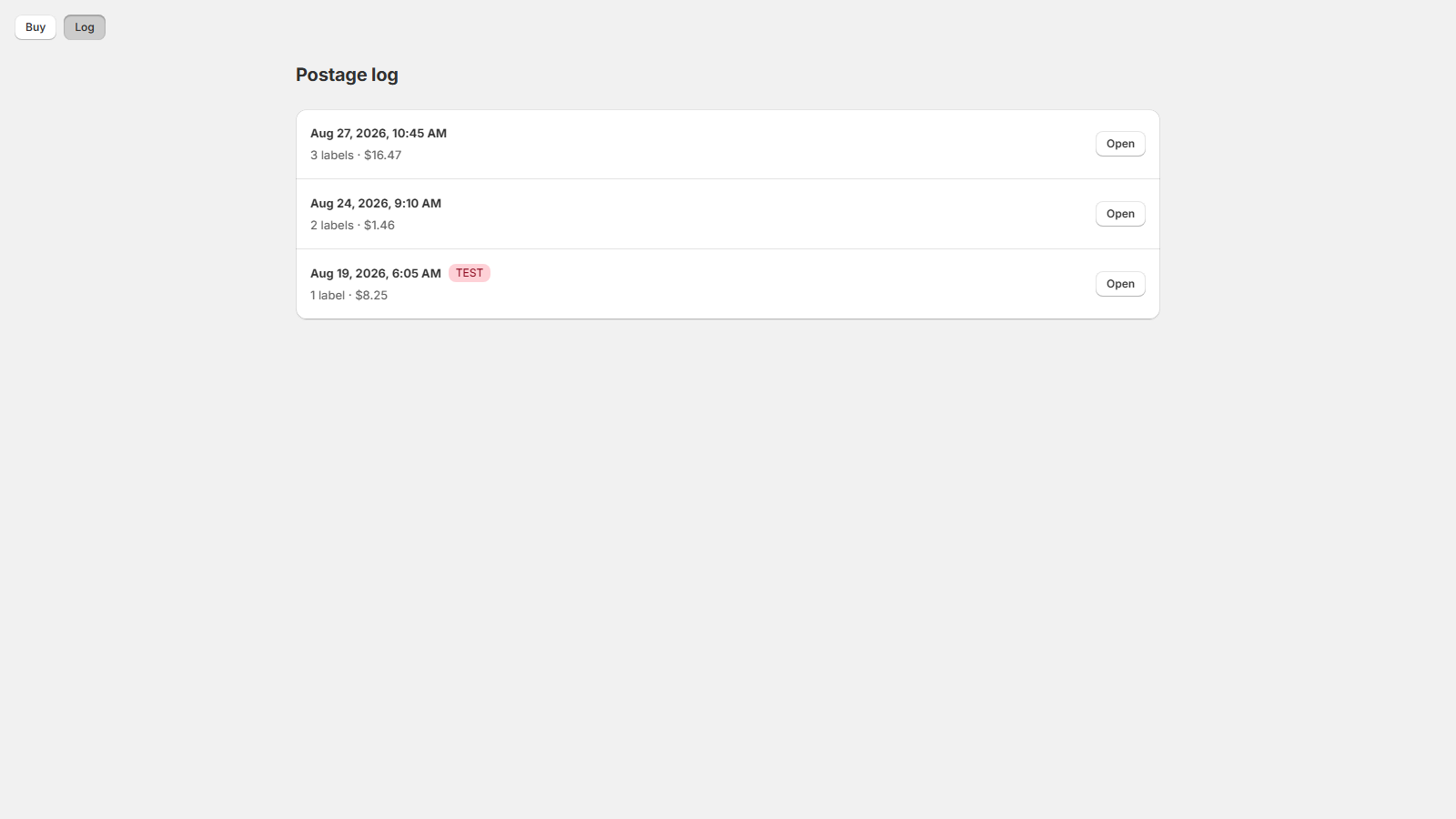
- Postage → Log lists batches newest first: when, how many labels, what they cost. Test batches carry a TEST badge. Click Open.
- Reprint sheet re-renders the merged PDF (refunded and refunding labels are left out, and the count is stated); Tracking CSV rebuilds the import file.
- Refund on a label confirms first (Refund this label?) because it asks USPS for the money back rather than returning it: refunds take at least 15 days to settle, and USPS can reject one. Check refund status reads EasyPost's current answer any time.
Labels bill to your own EasyPost account, so Live — you will be
charged for postage means exactly that, with no undo. For your
first run, set Buy mode to Test — no charge,
labels are NOT shippable: test labels are created and look
real, but they are not valid postage and nothing bought in test mode
can ship.