 Card Vendor Guides
Memberships
Annual tiers sold through Shopify, rewards you redeem at the counter, and credit back on member spend.
1. Create tiers
- Open Memberships → Tiers & rewards and click New tier.
- Fill Name, Annual price and Rank (1 = lowest). Rank orders upgrades and reward inheritance. Set Credit back (0 = off) and list perks under Benefit notes (one per line).
- Click Add tier, then Sync product.
Sync product maintains one Shopify product, called Membership Program, with a variant per active tier at its annual price. Customers buy a membership like any product: it starts the day the order is paid and runs one year per quantity purchased.
2. Rewards and redemptions
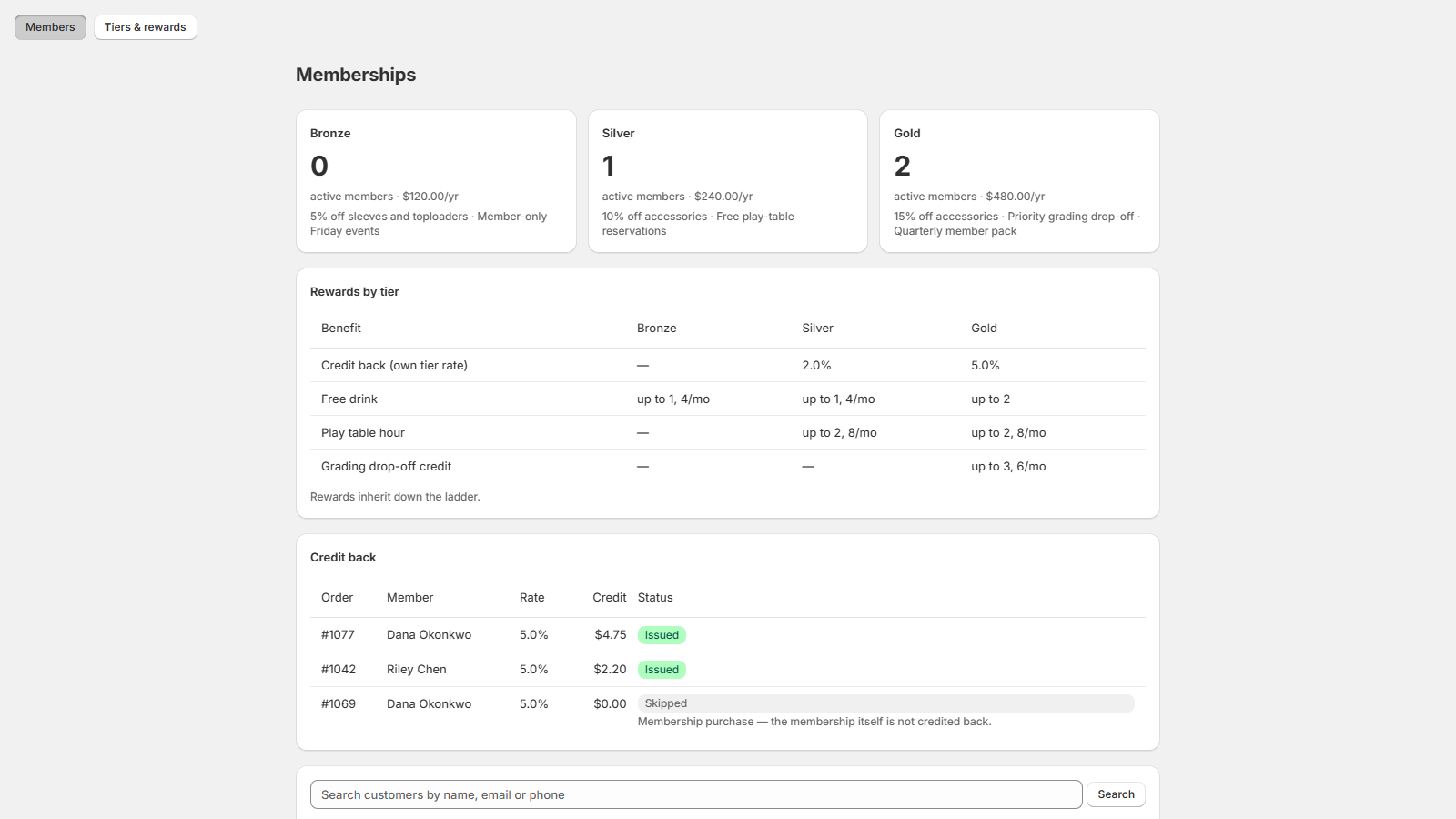
Click a tier in the list to open it, then enter Reward name, Max per redemption and Monthly allowance (0 = no monthly cap) and click Add reward. Rewards inherit down the ladder: a tier grants its own plus every lower tier's. The Rewards by tier table on the Members page shows what each tier actually gets.
To record a redemption, open the member's Manage modal, pick Redeem, choose the Reward and Quantity (capped at the per-redemption limit) and click Redeem. The picker names each reward's limits and the modal shows what the member has redeemed so far. Check the monthly allowance there before handing over the perk. Totals land in the member's Usage column.
3. Credit back
When a member's order is paid, their tier's rate comes back to them automatically as native Shopify store credit. The Credit back table on the Members page lists every order: Issued when the credit landed, Skipped with the reason when it didn't. Buying the membership itself is always skipped, since credit back doesn't apply to that purchase. The rate applies to the order subtotal after discounts; shipping, taxes and tips are excluded, and it is the member's own tier's rate, never a sum down the ladder.
4. Find a member
The Members page lists active members. Type into Search customers by name, email or phone and click Search to see everyone, including expired members and customers not yet enrolled. Manage opens assign, renew, upgrade and redeem for that customer; assigning takes a Tier, Starts and Expires date.
5. Active and expired
A membership is Active until its expiry date and Expired from that day. Expired members can't redeem and earn no credit back. Renew them from the Manage modal, or let them buy the tier again, which restarts the membership from the paid date. An active member buying the same tier extends the expiry; a different tier at full price is never applied automatically. Run upgrades from the Manage modal, which quotes the prorated amount owed.